
Modern project management software has become increasingly expensive and convoluted. Between tiered seat licenses, mandatory enterprise upgrades, and bloated feature sets, solo consultants, freelancers, and bootstrapped startups often spend hundreds of dollars each month on tools they only use at 10% capacity. Meanwhile, simpler tools right at your fingertips go completely overlooked.
Harnessing the free agile sprint templates google sheets and Docs ecosystem provides a fast, zero-cost, and completely customizable alternative. Google Workspace allows you to build clean, lightweight sprint trackers, automated burndown charts, and weekly retrospectives without spending a single penny on recurring software subscriptions.
Why Spreadsheets Outperform Heavy Agile Software for Solo Work
Enterprise project platforms like Jira, Monday.com, and ClickUp are engineered for large corporate organizations with hundreds of employees. For an individual knowledge worker or a small three-person agile squad, that enterprise machinery frequently creates more friction than clarity.
According to agile delivery benchmarks compiled by Smartsheet, spreadsheet-based sprint templates offer unmatched speed and adaptability. You have total control over formulas, conditional formatting, and layout hierarchies. If you want to add a custom column for “Effective Hourly Rate” or “Client Billing Status”, you simply type it into a cell—no complex administrative permissions required.
The Spreadsheet Advantage:
Google Sheets loads in 0.5 seconds, operates seamlessly offline, costs zero dollars forever, and can be shared with clients via a single URL without forcing them to create an account.
The 3 Core Free Agile Templates for Google Workspace
To run an end-to-end agile sprint framework inside Google Workspace, combine these three specialized templates:
Template 1: The Automated 1-Week Sprint Tracker (Google Sheets)
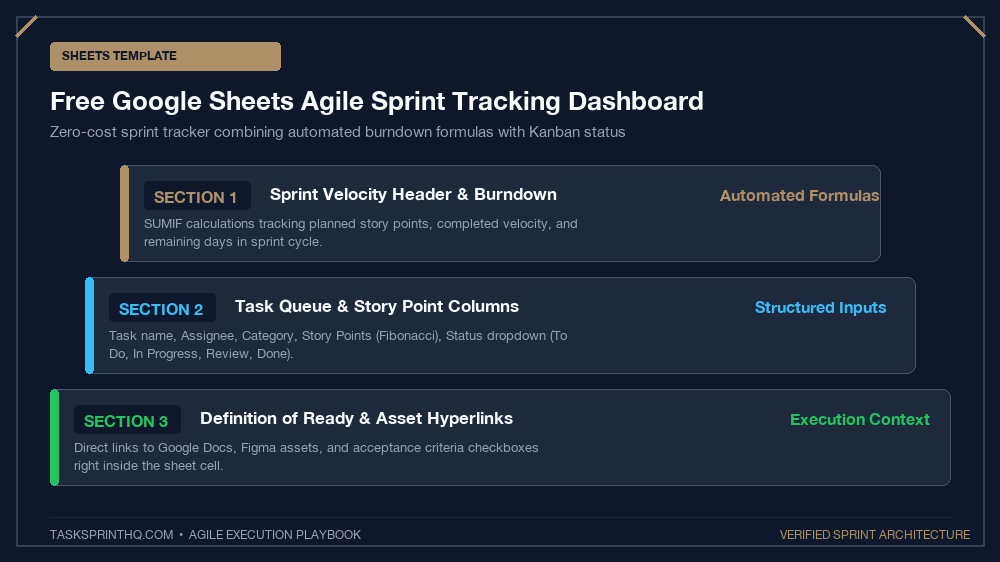
This master spreadsheet organizes your weekly deliverables into an automated sprint dashboard. It includes five essential tabs:
- Active Sprint: A streamlined table with columns for Task ID, Deliverable Name, Category, Story Points (1-8), Status (Not Started / In Progress / Blocked / Done), and Focus Hours.
- Backlog: Your uncommitted ideas holding pen, equipped with dropdown filters for prioritization tags.
- Daily Capacity Calculator: A mathematical formula tab that automates our exact rules for daily sprint capacity calculation to determine available focus hours each morning.
- Velocity Chart: An automated bar chart that plots your estimated story points against completed story points week over week.
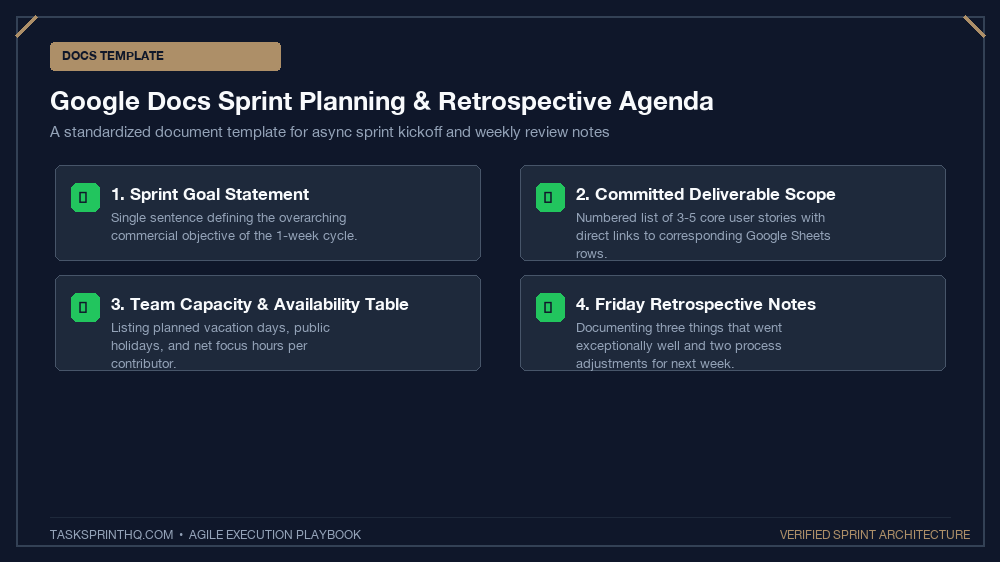
Template 2: The Weekly Sprint Retrospective Doc (Google Docs)
A minimalist, clean document template formatted for fast weekly debriefs. It features pre-configured sections for deliverable audits, billable hours tracking, and process improvements. If you want to structure your Friday review with corporate-grade precision, pair this document with our weekly sprint review template for freelancers.
Template 3: The Collaborative Client Sprint Portal (Google Sheets)
A simplified, client-facing spreadsheet designed specifically for external stakeholders. It features protected ranges so clients can add candidate tasks to a Backlog tab while preventing them from editing active sprint commitments or formulas.
Spreadsheet Column Architecture for Sprint Tracking
Here is how to structure your columns in Google Sheets for a bulletproof sprint tracking tab:
| Column Header | Data Type | Data Validation / Formula | Purpose |
|---|---|---|---|
| Task ID | Text / Number | ="TS-" & TEXT(ROW()-1, "000") |
Unique identifier for easy cross-referencing |
| Deliverable Name | Text | Free text entry | Clear outcome statement describing the deliverable |
| Effort Points | Dropdown | Dropdown: 1, 2, 3, 5, 8 | Fibonacci sizing of task complexity |
| Status | Dropdown Chip | Backlog, Active, Blocked, Done | Drives conditional formatting background colors |
| Est. Hours | Number | Decimal number | Estimated focus hours required |
| Actual Hours | Number | Decimal number | Actual hours logged to calculate variance |
Automating Conditional Formatting in Google Sheets
To give your spreadsheet the visual polish of modern software, apply these conditional formatting rules:
- Status = “Done”: Set background color to soft mint green (
#e6f4ea) and apply strikethrough to the text. - Status = “Blocked”: Set background color to light coral red (
#fce8e6) to make bottlenecks instantly visible. - Status = “Active”: Set background color to light gold accent (
#fef7e0).
How to Build an Automated Burndown Formula
Want to track your sprint progress visually? Add this simple formula to calculate remaining story points:
This formula dynamically sums the story points of all items where status is not “Done”, providing an accurate metric of remaining sprint workload in real time.
Step-by-Step Tutorial: Building an Automated Velocity Chart
To visualize your team’s sprint throughput over time in Google Sheets, follow these simple setup steps:
- Create a separate tab named
Velocity-Historywith columns: Sprint Name, Committed Points, Completed Points. - At the end of each sprint cycle, log your planned story points and actual completed points.
- Highlight the dataset, click Insert > Chart, and select a Column Chart with dual series.
- Google Sheets automatically renders a clean visual velocity bar chart showing whether your sprint estimation accuracy is improving week over week.
Formula Cheat Sheet for Agile Sprint Spreadsheets
Supercharge your Google Sheets sprint tracker with these three essential formulas:
- Total Story Points in Current Sprint:
=SUMIF(D2:D50, "Active", C2:C50) - Percentage of Sprint Completed:
=COUNTIF(D2:D50, "Done") / COUNTA(B2:B50)(Format as Percentage) - Filter Blocked Tasks Dynamically:
=FILTER(A2:E50, D2:D50="Blocked")into a designated ‘Blocker Alert’ widget.
Google Sheets vs. Microsoft Excel for Agile Teams
While Microsoft Excel offers superior macro processing for massive financial modeling, Google Sheets remains the undisputed champion for collaborative agile sprints. Real-time multi-user editing, seamless Google Drive document linking, and instant cloud sharing without email attachments make Google Sheets the ideal zero-cost project tracking platform.
How to Share Google Sheets Sprint Boards with Clients
When sharing your agile sprint spreadsheet with external clients or stakeholders, never grant open ‘Editor’ permissions to the entire workbook. Instead, set the overall spreadsheet sharing to ‘Viewer’ or ‘Commenter’, and use Google Sheets’ Protected Sheets and Ranges feature to unlock only the specific Backlog columns where clients are permitted to add new task requests. This safeguards your formulas and active sprint calculations from inadvertent edits.
Ditch the Subscriptions, Embrace Simplicity
You do not need to pay $30 a month per user to experience the extraordinary focus and clarity of agile sprints. Build your spreadsheet template in Google Sheets this afternoon, calibrate your formulas, and manage your projects with complete freedom, speed, and zero software overhead.